
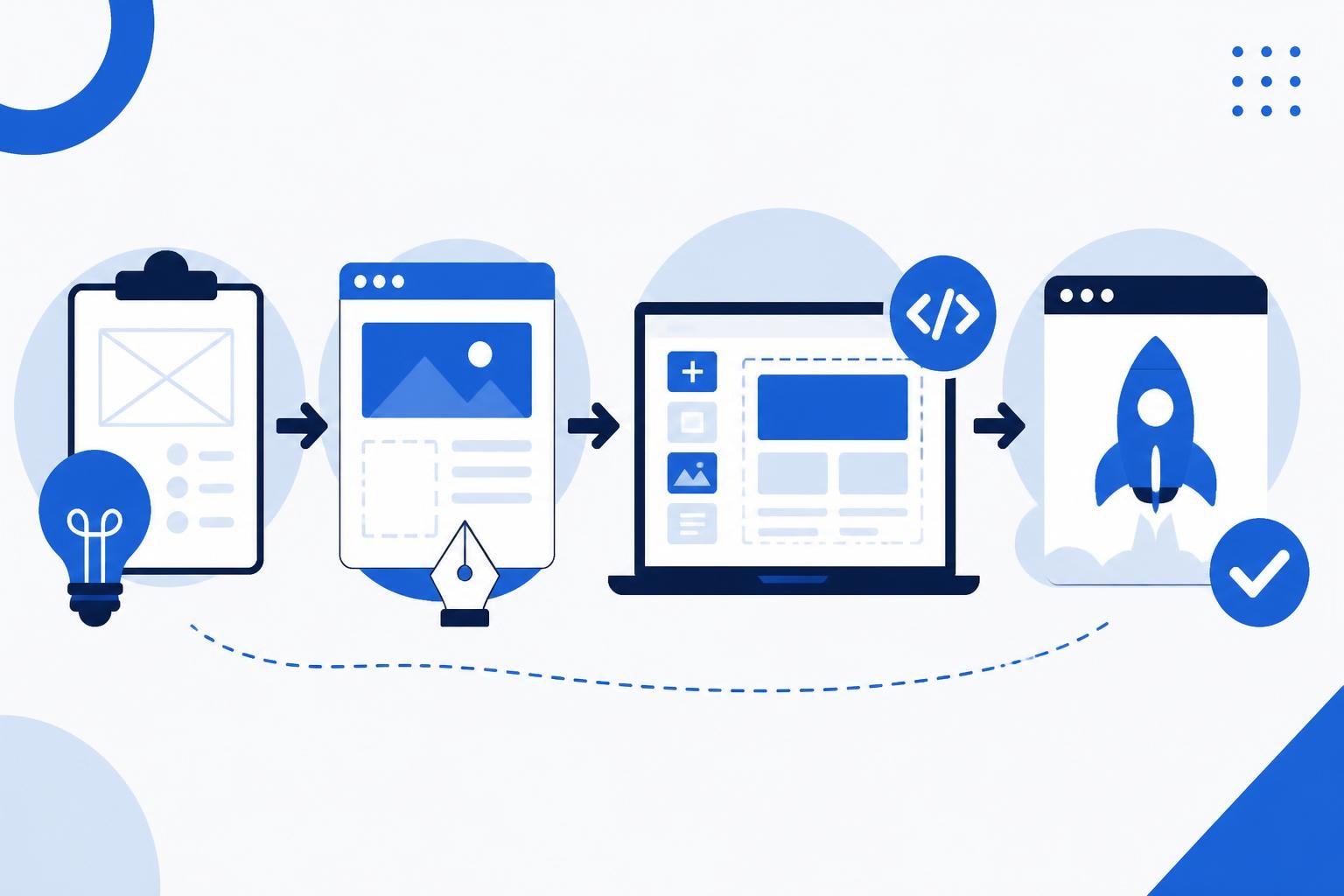
The landscape of website app development has transformed dramatically in recent years, blending traditional web development with mobile app functionality to create hybrid solutions that work seamlessly across devices. Today's businesses need applications that deliver native app experiences while maintaining the accessibility and reach of web platforms. This convergence has given rise to progressive web apps (PWAs), responsive web applications, and no-code solutions that democratize development for enterprises and startups alike. Understanding the current state of website app development means recognizing how modern tools and methodologies have made it possible to build sophisticated applications faster and more cost-effectively than ever before.
The Evolution of Website App Development
Website app development represents the intersection of web technologies and application functionality, creating solutions that users can access through browsers while enjoying app-like experiences. This approach has gained tremendous traction because it eliminates the friction of app store downloads and updates while providing cross-platform compatibility out of the box.
The shift toward this model started with responsive design but has evolved into something far more sophisticated. Modern website apps leverage service workers for offline functionality, use push notifications to engage users, and access device features that were once exclusive to native applications. Progressive Web Apps have become the gold standard, offering installability, reliability, and engagement that rivals traditional mobile applications.
Key Components of Modern Website Apps
Building effective website applications requires understanding several fundamental components that work together to create seamless user experiences:
- Responsive frameworks that adapt layouts across screen sizes and devices
- Service workers that enable offline functionality and background synchronization
- Application shell architecture for instant loading and perceived performance
- API integrations connecting front-end experiences with backend services
- Security protocols protecting user data and ensuring compliance
These elements combine to create applications that feel native while maintaining the flexibility and reach of web technologies. The best practices for building Progressive Web Apps emphasize adaptability and performance optimization as core principles.
No-Code Approaches to Website App Development
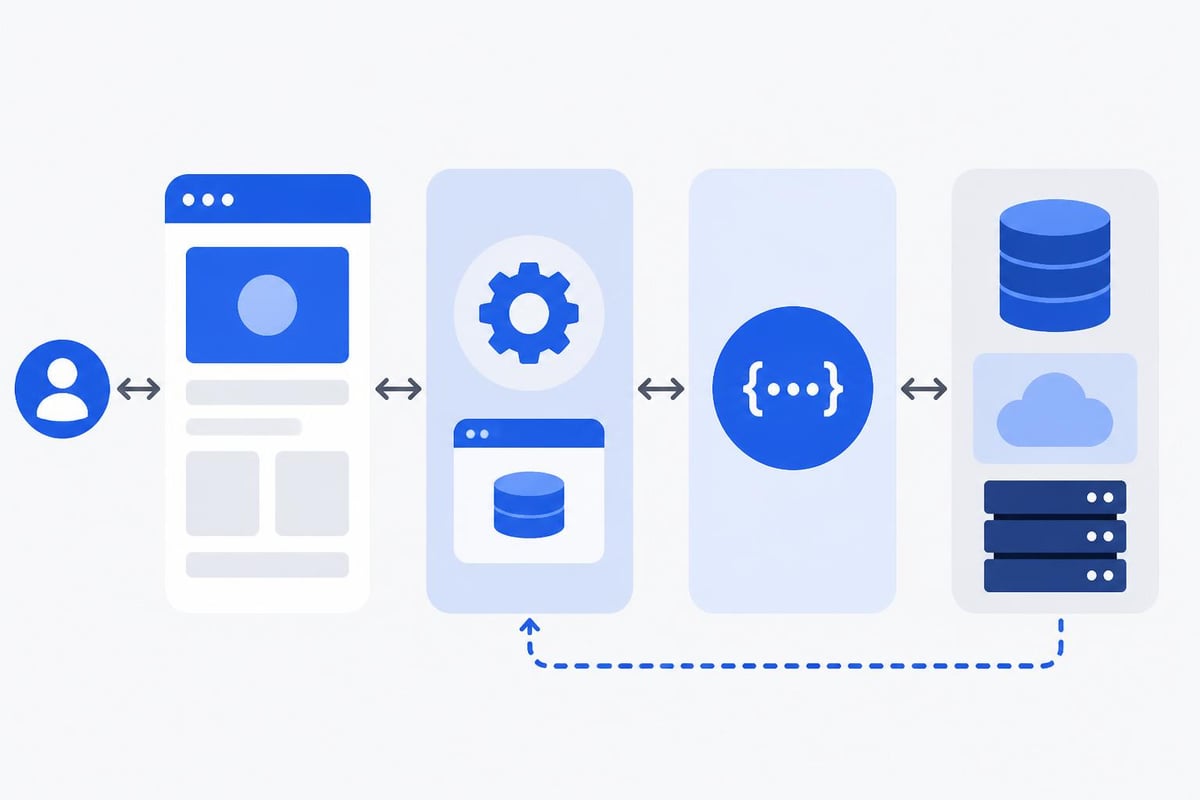
The rise of no-code platforms has revolutionized how teams approach website app development, making it accessible to non-technical stakeholders while dramatically reducing time-to-market. Platforms like Bubble have made it possible to build complex, scalable applications without writing traditional code, opening new possibilities for rapid prototyping and deployment.
This democratization of development doesn't mean sacrificing functionality or quality. Modern no-code tools provide robust databases, complex logic capabilities, and extensive integration options that rival custom-coded solutions. For businesses looking to validate ideas quickly, building an MVP with no-code offers significant advantages in speed and cost.
Advantages of No-Code Website App Development
| Benefit | Traditional Development | No-Code Development |
|---|---|---|
| Time to Market | 3-6 months | 2-6 weeks |
| Cost Range | $50,000-$200,000 | $10,000-$50,000 |
| Technical Expertise | Advanced coding required | Visual interface, minimal coding |
| Iteration Speed | Weeks per change | Hours to days per change |
| Scalability | Highly customizable | Platform-dependent but robust |
The financial and temporal advantages make no-code particularly attractive for startups and enterprises testing new product concepts. When exploring low-cost MVP development tools, businesses discover they can allocate resources toward market validation rather than infrastructure building.
Speed matters in competitive markets. No-code website app development enables teams to iterate based on real user feedback rather than theoretical requirements. This agile approach reduces the risk of building products that don't meet market needs.
Security Best Practices for Website Applications
Security remains paramount in website app development, regardless of the development approach chosen. Applications handle sensitive user data, financial information, and personal details that require robust protection. The consequences of security breaches extend beyond immediate financial loss to include reputational damage and regulatory penalties.
Implementing comprehensive security measures starts at the architecture level and extends through every layer of the application. Developers must consider authentication mechanisms, data encryption, secure communication protocols, and protection against common vulnerabilities like cross-site scripting (XSS) and SQL injection attacks.
Essential Security Measures
According to web security best practices, every website app should implement multiple layers of protection:
- HTTPS encryption for all data transmission between clients and servers
- Content Security Policy (CSP) headers to prevent injection attacks
- Authentication and authorization systems with multi-factor options
- Regular security audits and penetration testing
- Dependency management to address vulnerabilities in third-party libraries
- Input validation and sanitization on both client and server sides
The FTC guidelines for app developers emphasize implementing reasonable security measures from the start rather than retrofitting protection after launch. This proactive approach saves time and reduces risk.
For enterprises particularly concerned with data protection, understanding essential web security guidelines helps establish baseline requirements. Security shouldn't be an afterthought in website app development but rather a foundational principle guiding every architectural decision.
Platform Selection and Technical Architecture
Choosing the right platform and architecture for website app development significantly impacts long-term success, maintainability, and scalability. The decision involves balancing immediate needs against future growth, considering team capabilities, and evaluating total cost of ownership beyond initial development.
Traditional website app development might involve frameworks like React, Angular, or Vue.js for the front end, paired with Node.js, Python, or Ruby backends. These choices offer maximum flexibility but require substantial technical expertise and longer development cycles. The complexity increases when adding mobile-specific features, offline functionality, and real-time data synchronization.
Evaluating Development Platforms
Different platforms serve different needs, and understanding your requirements helps narrow the field:
- Custom code solutions provide unlimited flexibility but demand skilled developers
- Hybrid frameworks like React Native or Flutter bridge web and mobile experiences
- No-code platforms enable rapid development with visual interfaces and pre-built components
- Low-code solutions offer customization options while maintaining development speed
- AI-powered tools accelerate development through intelligent code generation and optimization
The emergence of AI-powered no-code development tools has added another dimension to platform selection. These tools analyze requirements and generate functional applications, significantly reducing the time from concept to prototype.
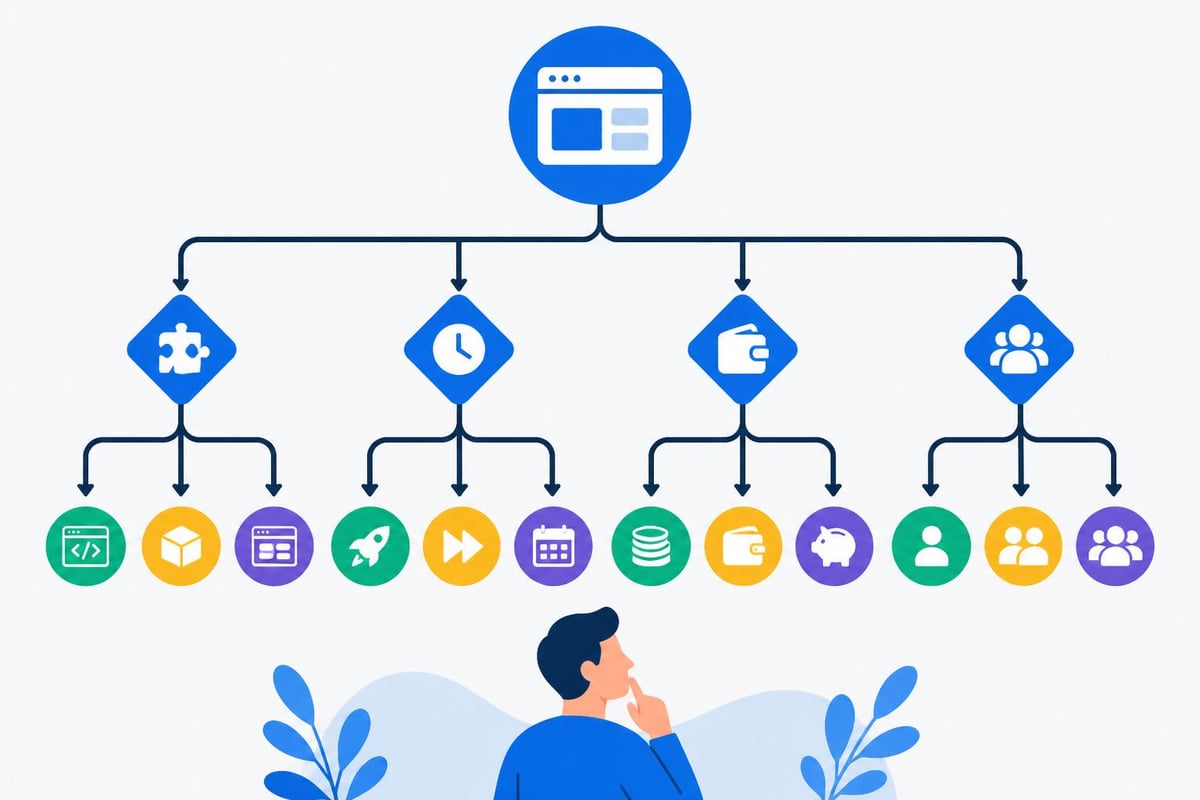
Many enterprises are discovering that no-code platforms for internal tool development offer compelling advantages for business-specific applications. These tools enable domain experts to participate directly in development, creating solutions that better reflect actual workflow needs.
Performance Optimization and User Experience
Performance directly impacts user satisfaction, conversion rates, and search engine rankings in website app development. Users expect applications to load quickly, respond instantly to interactions, and work reliably across varying network conditions. Meeting these expectations requires deliberate optimization strategies throughout the development process.
Page load time represents one of the most critical metrics, with studies consistently showing that delays of even a few hundred milliseconds significantly impact bounce rates and engagement. Modern website apps must implement lazy loading, code splitting, and efficient caching strategies to deliver optimal performance.
The best practices for web-based application development emphasize planning for performance from initial architecture decisions through deployment and maintenance phases.
Performance Optimization Techniques
Effective optimization requires attention to multiple aspects of application architecture and delivery:
- Minimize JavaScript bundle sizes through code splitting and tree shaking
- Implement efficient caching strategies using service workers and CDNs
- Optimize images and media with modern formats like WebP and AVIF
- Use lazy loading for below-the-fold content and images
- Implement server-side rendering or static generation where appropriate
- Monitor real user performance metrics through analytics platforms
Image optimization plays a crucial role in performance, particularly for applications with heavy visual content. Services like removit provide professional image processing capabilities that ensure visuals load quickly while maintaining quality, which becomes especially important for e-commerce and portfolio-based applications.
Database query optimization matters equally in website app development. Poorly structured queries can create bottlenecks that slow the entire application, particularly as data volumes grow. No-code platforms typically handle query optimization automatically, but developers should still understand indexing strategies and efficient data retrieval patterns.
Mobile-First Development Strategies
The mobile-first approach has become standard practice in website app development, reflecting the reality that most users access applications primarily through smartphones and tablets. This methodology involves designing and developing for mobile constraints first, then progressively enhancing experiences for larger screens and more powerful devices.
Mobile-first thinking impacts every aspect of development, from navigation patterns and touch interactions to data loading strategies and offline functionality. The constraints of mobile devices-smaller screens, touch interfaces, variable connectivity-force developers to prioritize essential features and streamline user flows.
Mobile Optimization Checklist
| Consideration | Mobile Requirements | Implementation Priority |
|---|---|---|
| Touch Targets | Minimum 44x44 pixels | Critical |
| Viewport Configuration | Proper meta tags | Critical |
| Font Sizing | Minimum 16px for body text | High |
| Network Resilience | Offline functionality | High |
| Performance | <3 second load time | Critical |
| Form Design | Appropriate input types | Medium |
Implementing best practices for web applications on Android ensures compatibility and optimal performance across the dominant mobile operating system. These guidelines cover everything from viewport configuration to handling device rotation and managing WebView components.
The progressive enhancement philosophy aligns perfectly with mobile-first development. By building a solid foundation that works on basic devices with limited connectivity, developers create resilient applications that perform well under all conditions while taking advantage of advanced capabilities when available.
Integration Capabilities and API Design
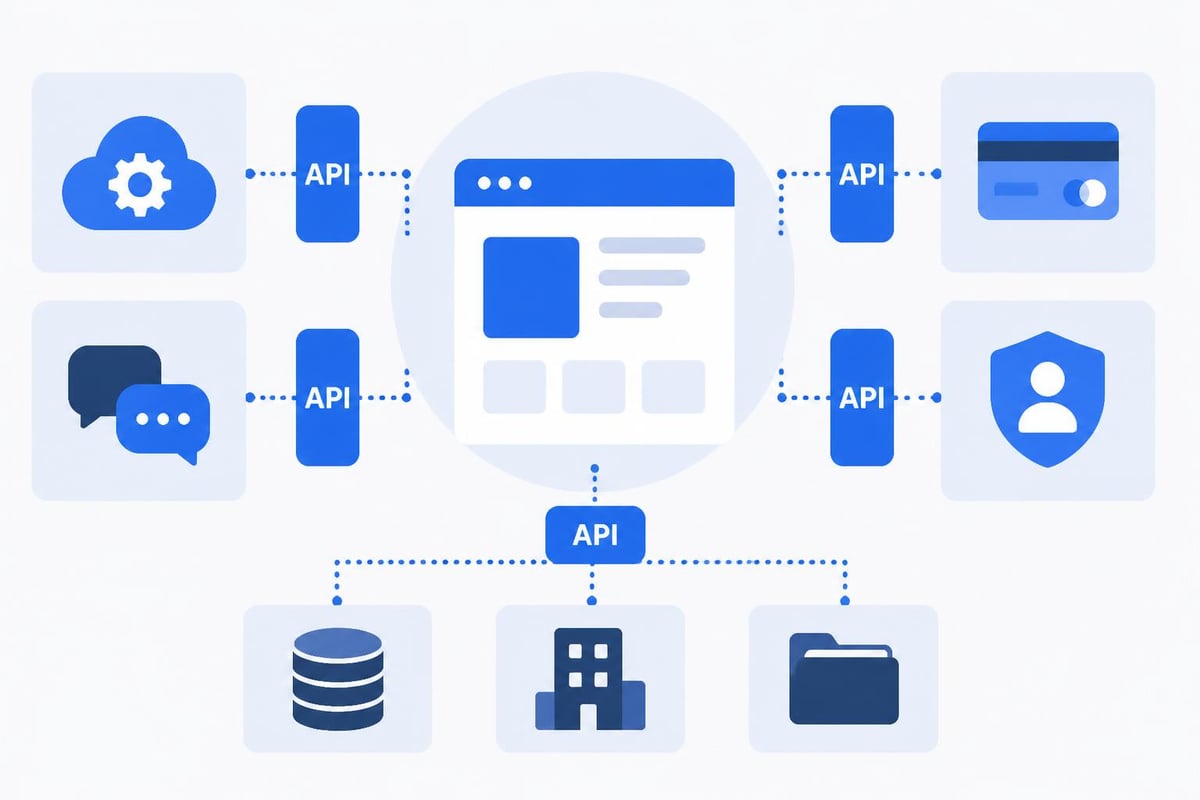
Modern website app development rarely occurs in isolation. Applications must integrate with payment processors, analytics platforms, communication tools, marketing automation systems, and countless other services that businesses rely upon. The quality and flexibility of these integrations often determine an application's practical utility.
RESTful APIs have become the standard for enabling these integrations, providing structured ways for applications to communicate with external services and internal microservices. Well-designed APIs make applications extensible and future-proof, allowing new features and integrations without requiring fundamental architectural changes.
No-code platforms excel at providing pre-built integrations with popular services while also offering API connectors for custom integrations. This flexibility enables businesses to connect their website apps with existing systems, creating unified workflows that span multiple platforms and services.
Common Integration Categories
Successful website apps typically integrate with several service categories:
- Authentication providers like Auth0, Firebase, or OAuth services
- Payment processors including Stripe, PayPal, and Square
- Communication platforms for email, SMS, and push notifications
- Analytics and tracking tools for understanding user behavior
- CRM systems to manage customer relationships and sales pipelines
- Storage services for file uploads and media management
When building internal dashboards and tools, integration capabilities become even more critical. These applications must connect disparate data sources and present unified views of business operations.
Digital marketing agencies particularly benefit from well-integrated website apps. For instance, Pioneer Marketing leverages marketing automation systems that integrate with CRM platforms, communication tools, and analytics services to create comprehensive digital marketing solutions. Their approach demonstrates how proper integrations transform individual tools into cohesive systems that deliver measurable business results.
Testing and Quality Assurance
Quality assurance represents a critical phase in website app development that directly impacts user satisfaction, security, and long-term maintenance costs. Comprehensive testing strategies catch issues before they reach production, reducing the likelihood of bugs that frustrate users or create security vulnerabilities.
Modern testing approaches combine automated and manual methodologies, covering functional requirements, performance characteristics, security vulnerabilities, and user experience quality. The specific testing strategy depends on application complexity, risk tolerance, and resource availability.
Multi-Layer Testing Approach
Effective quality assurance involves testing at multiple levels:
- Unit testing validates individual components and functions
- Integration testing ensures components work together correctly
- End-to-end testing simulates real user workflows and interactions
- Performance testing identifies bottlenecks and scalability issues
- Security testing uncovers vulnerabilities and potential exploits
- Accessibility testing ensures compliance with WCAG guidelines
- Cross-browser testing verifies functionality across different browsers and versions
No-code platforms reduce but don't eliminate testing requirements. While these tools handle many technical details automatically, applications still require testing of business logic, user workflows, and integrations. The visual nature of no-code development makes it easier to conduct testing with non-technical stakeholders who can validate that applications meet business requirements.
Automated testing has become increasingly sophisticated, with tools capable of generating and executing test cases based on user behavior patterns. These systems identify edge cases and potential failure points that manual testing might miss, improving overall application reliability.
Deployment and Continuous Improvement
Launching a website app marks the beginning rather than the end of the development journey. Successful applications evolve continuously based on user feedback, changing business requirements, and technological advancements. The deployment strategy and ongoing improvement processes significantly impact long-term success.
Modern deployment practices favor incremental releases over large, infrequent updates. This approach reduces risk, enables faster feedback loops, and allows teams to respond quickly to issues or opportunities. Continuous integration and continuous deployment (CI/CD) pipelines automate much of this process, ensuring that code changes flow smoothly from development through testing to production.
Post-Launch Optimization Cycle
| Phase | Activities | Timeframe |
|---|---|---|
| Initial Monitoring | Track errors, performance, user behavior | First 48 hours |
| Quick Fixes | Address critical bugs and usability issues | First week |
| Feature Refinement | Optimize based on user feedback | First month |
| Strategic Enhancement | Add features, improve workflows | Ongoing |
Analytics platforms provide insights into how users actually interact with applications, often revealing patterns that differ from initial assumptions. This data drives informed decisions about feature prioritization, design improvements, and performance optimization efforts.
The application development lifecycle extends far beyond initial launch. Applications require ongoing maintenance, security updates, feature additions, and performance optimization. No-code platforms simplify this process by handling infrastructure maintenance and providing tools for rapid iteration, allowing teams to focus on business value rather than technical maintenance.
User feedback mechanisms-whether through in-app surveys, support tickets, or behavioral analytics-provide invaluable insights for continuous improvement. Successful website app development teams establish systematic processes for collecting, analyzing, and acting on this feedback, ensuring applications evolve to meet changing user needs.
Accessibility and Inclusive Design
Creating accessible website apps ensures that all users, regardless of abilities or disabilities, can effectively use your application. This commitment to inclusive design isn't just ethically important-it's often legally required and always good business practice. Accessible applications reach broader audiences and typically provide better experiences for all users.
Accessibility considerations span visual design, interaction patterns, content structure, and technical implementation. Following established guidelines like the Web Content Accessibility Guidelines (WCAG) provides a framework for creating inclusive experiences that work with assistive technologies and accommodate diverse user needs.
Semantic HTML forms the foundation of accessible website app development. Proper use of heading hierarchies, landmark regions, and ARIA attributes ensures that screen readers and other assistive technologies can correctly interpret and navigate applications. These technical details significantly impact usability for people with disabilities.
Core Accessibility Principles
Implementing accessibility requires attention to multiple dimensions:
- Perceivable information through alternative text, captions, and sufficient color contrast
- Operable interfaces that work with keyboards, screen readers, and assistive devices
- Understandable content with clear navigation and predictable interactions
- Robust implementation that works across browsers and assistive technologies
No-code platforms vary in their built-in accessibility support. Some automatically generate accessible markup, while others require developers to configure accessibility features explicitly. Understanding these platform capabilities helps teams make informed technology choices that align with accessibility commitments.
Testing accessibility requires both automated tools and manual evaluation with actual assistive technologies. Automated scanners catch many technical issues, but only testing with screen readers, keyboard navigation, and other assistive technologies reveals the full user experience.
Scaling Website Applications
Planning for growth from the beginning of website app development prevents expensive architectural rewrites as user bases expand and feature sets mature. Scalability encompasses technical performance, development team efficiency, and business model sustainability.
Technical scalability involves architecting applications to handle increasing loads without degrading performance. This includes database optimization, efficient caching strategies, content delivery networks, and load balancing. Cloud infrastructure providers make it easier to scale resources dynamically, paying only for capacity actually needed.
Development scalability matters equally. As applications grow, codebases become more complex and team sizes increase. Maintainable architecture, clear documentation, and modular design principles prevent technical debt from accumulating and slowing future development.
No-code platforms offer unique scalability advantages by abstracting infrastructure management and providing visual tools that make complex applications more maintainable. However, understanding platform-specific limitations helps teams make informed decisions about when no-code remains appropriate and when custom development becomes necessary for specific features or performance requirements.
The combination of rapid development, built-in scalability, and cost efficiency has made platforms like Bubble increasingly popular for enterprise-scale applications. Organizations discover they can build sophisticated applications that serve thousands of users without the infrastructure complexity of traditional development approaches.
Website app development continues evolving rapidly, with no-code platforms, AI-assisted development, and progressive web technologies making sophisticated applications more accessible than ever. The key to success lies in choosing the right approach for your specific needs, implementing best practices for security and performance, and maintaining focus on user experience throughout the development lifecycle. Big House Technologies specializes in transforming these concepts into reality, leveraging no-code and AI platforms to deliver scalable, high-quality website applications that meet enterprise standards while maintaining startup agility and speed. Our comprehensive approach from scoping through deployment ensures your vision becomes a functional product on time and within budget.

About Big House
Big House is committed to 1) developing robust internal tools for enterprises, and 2) crafting minimum viable products (MVPs) that help startups and entrepreneurs bring their visions to life.
If you'd like to explore how we can build technology for you, get in touch. We'd be excited to discuss what you have in mind.
Other Articles
Explore enterprise auth solutions bubble in this expert 2026 guide Discover trends step by step strategies and best practices to secure and future proof your business
Explore the 7 best Replit alternative platforms for 2025 Compare features pricing and benefits to find the ideal cloud IDE for your coding and team needs
Discover the fastest no-code platforms for startups in 2026. Compare speeds, features, and capabilities to launch your product quickly.