
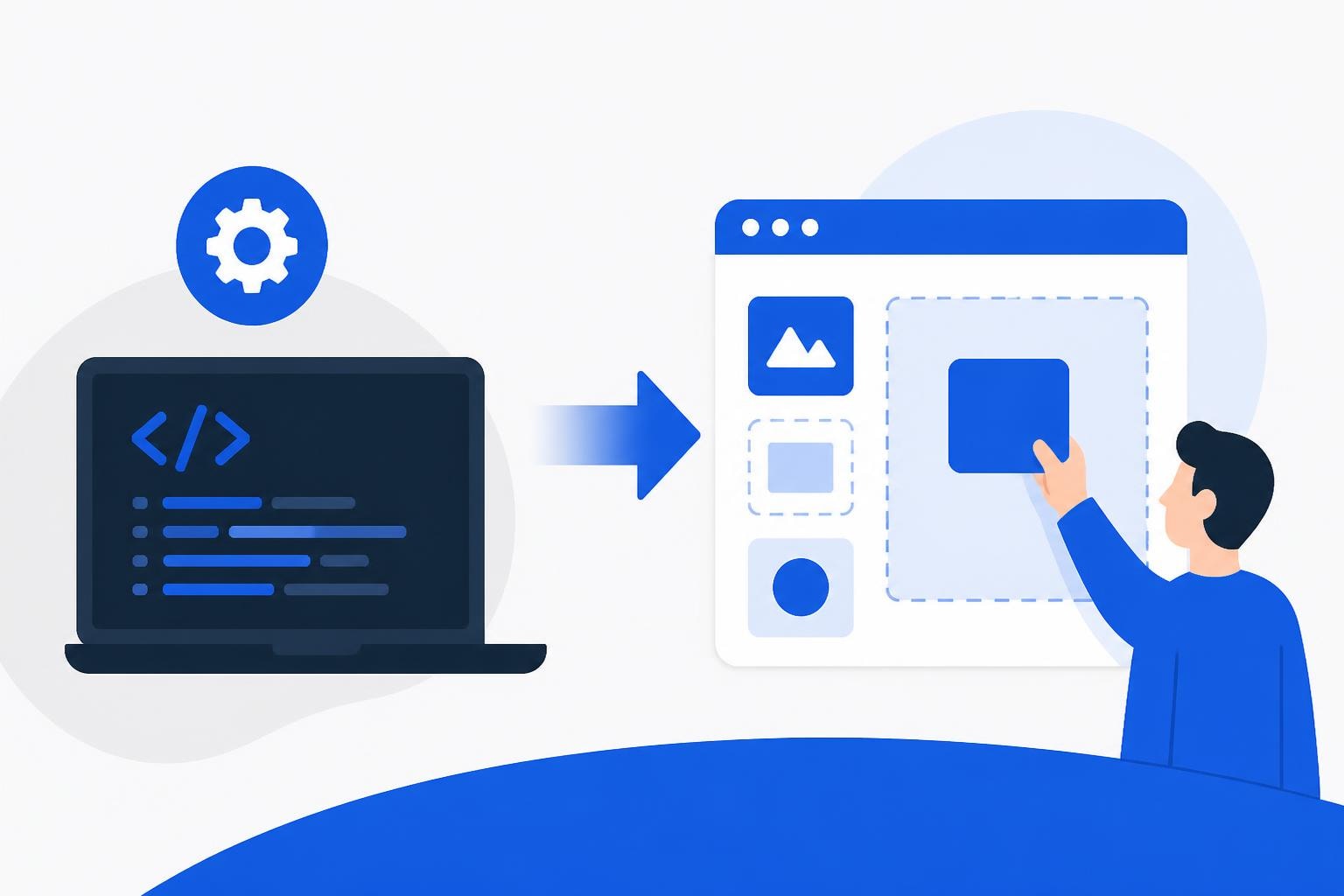
The software development landscape has transformed dramatically over the past decade, and 2026 marks a pivotal moment for businesses seeking to build custom applications without traditional programming resources. A no code app builder represents more than just a development tool-it's a strategic advantage that enables organizations to move from concept to deployment in weeks rather than months. As enterprises and startups alike face mounting pressure to digitize operations and respond quickly to market changes, no-code development has emerged as a critical solution for maintaining competitive agility while controlling costs.
Understanding No Code App Builder Platforms
A no code app builder provides visual development interfaces that eliminate the need for hand-written code, allowing business users, product managers, and entrepreneurs to create fully functional applications through drag-and-drop components and pre-built templates. These platforms have matured significantly, now supporting complex workflows, database operations, API integrations, and user authentication systems that rival traditionally coded solutions.
The fundamental architecture of these platforms centers on abstraction-hiding technical complexity behind intuitive interfaces while maintaining the power and flexibility needed for enterprise-grade applications. Visual development environments replace syntax with graphical elements, workflow builders replace procedural logic with flowcharts, and component libraries provide tested, reusable building blocks that speed development.
Key Components of Modern Platforms
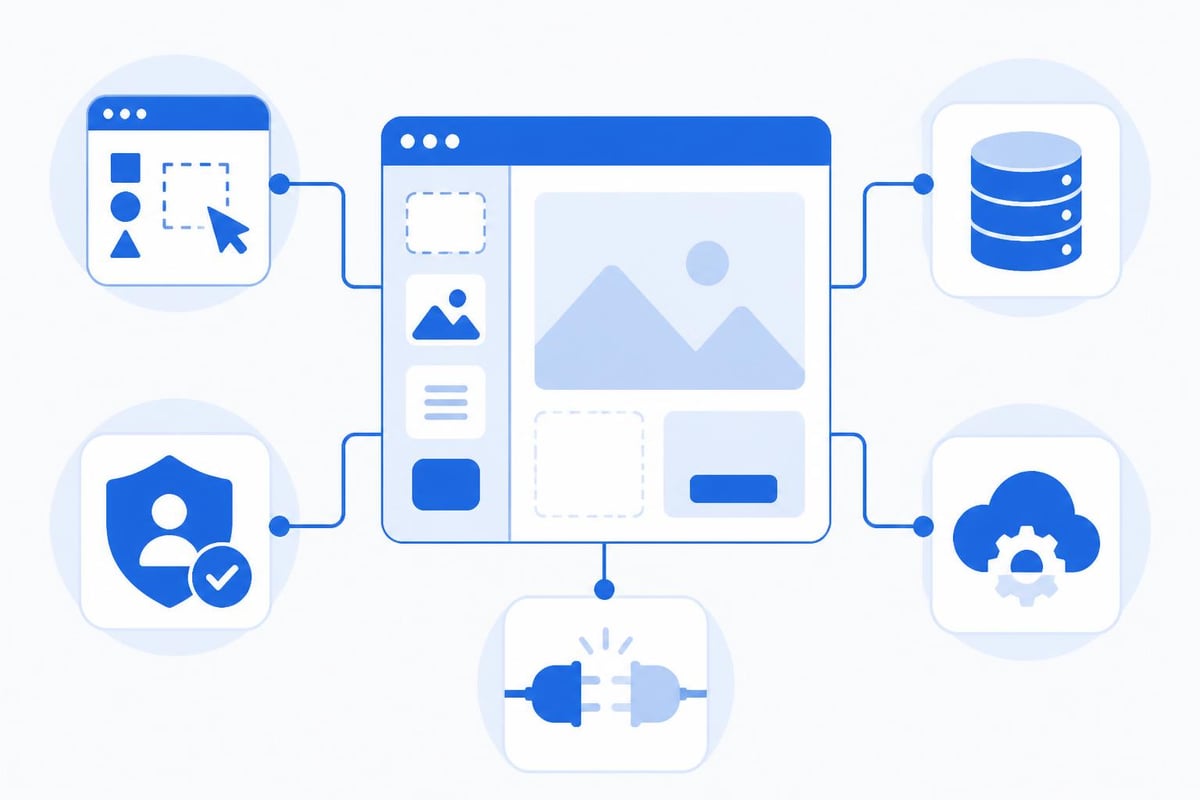
Today's no code app builder platforms incorporate several essential features:
- Visual interface designers with responsive layouts that automatically adapt to different screen sizes
- Database management systems with relationships, validations, and query builders
- Authentication and authorization modules supporting single sign-on and role-based access
- API connectors enabling integration with third-party services and legacy systems
- Workflow automation tools for complex business logic and process orchestration
- Testing environments that allow developers to preview and debug before deployment
The distinction between no-code and low-code has become increasingly important in 2026. While both approaches reduce the amount of manual coding required, no-code app builders target users with little to no programming experience, whereas low-code platforms assume some technical knowledge and allow custom code injection when needed.
Business Applications and Use Cases
Organizations across industries are leveraging these platforms to solve diverse challenges. The versatility of a no code app builder extends from simple internal tools to complex customer-facing applications that process thousands of transactions daily.
Internal Operations and Productivity
Employee onboarding portals streamline HR processes by centralizing documentation, training materials, and task checklists in custom applications that integrate with existing HR systems. Project management dashboards provide teams with tailored views of their work, pulling data from multiple sources into unified interfaces that match specific workflows.
Companies seeking to build internal dashboards find that no-code solutions deliver exactly the functionality teams need without the overhead of traditional development cycles. Inventory tracking systems, vendor management portals, and quality assurance checklists represent just a fraction of the internal tools enterprises build monthly.
Customer-Facing Applications
The market for customer applications has expanded dramatically as platforms have improved performance and scalability. E-commerce storefronts built with no-code tools now handle millions in annual revenue, featuring product catalogs, shopping carts, payment processing, and order fulfillment tracking.
Booking and scheduling systems power service businesses ranging from healthcare clinics to fitness studios, managing appointments, sending reminders, and processing payments. Customer portals provide account management, support ticketing, and self-service resources that reduce support costs while improving customer satisfaction.
| Application Type | Typical Development Time | Traditional Code | No Code Platform |
|---|---|---|---|
| Internal Dashboard | 4-6 weeks | 8-12 weeks | 1-2 weeks |
| Customer Portal | 8-12 weeks | 16-24 weeks | 3-4 weeks |
| E-commerce Site | 12-16 weeks | 20-30 weeks | 4-6 weeks |
| Booking System | 6-10 weeks | 12-18 weeks | 2-3 weeks |
Selecting the Right Platform for Your Needs
The no-code platform market has matured into distinct categories, each optimized for different use cases. Understanding these differences ensures you select tools aligned with your technical requirements and business objectives.
Platform Categories and Strengths
Web application builders like Bubble excel at creating complex, database-driven applications with sophisticated user interfaces and business logic. These platforms support multi-page applications, user authentication, payment processing, and extensive third-party integrations. Mobile-first platforms prioritize native app experiences, offering features like push notifications, offline functionality, and device hardware access.
Workflow automation tools focus on connecting existing systems and automating repetitive tasks rather than building standalone applications. Database and portal builders provide structured data management with user-friendly interfaces for data entry, reporting, and visualization.
When building an MVP with no code, founders must balance current needs against future scalability requirements. The right platform grows with your application, supporting increased users, data volume, and feature complexity without requiring a complete rebuild.
Evaluation Criteria
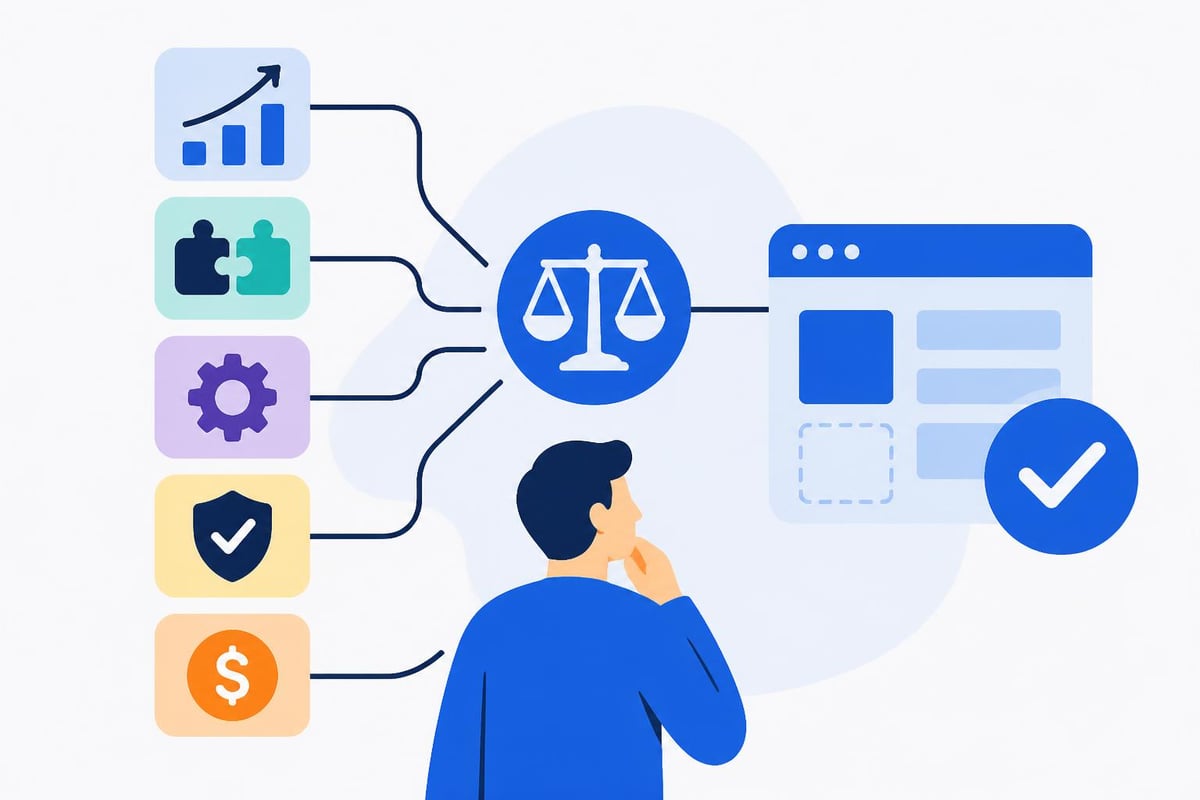
Consider these factors when assessing platforms:
- Scalability limits including user capacity, database size, and API call volumes
- Integration capabilities with your existing technology stack and third-party services
- Customization flexibility for unique business requirements and branding needs
- Security and compliance certifications relevant to your industry and geography
- Pricing structure that aligns costs with growth and usage patterns
- Support and documentation quality for troubleshooting and learning resources
Development Process and Best Practices
Building with a no code app builder requires a structured approach that parallels traditional software development methodologies while leveraging the unique advantages of visual development. Successful projects follow clear phases from initial planning through deployment and iteration.
Planning and Scoping Phase
Requirements gathering remains critical even when development speed increases dramatically. Document user stories, identify core features, map user journeys, and define success metrics before opening the platform. Data modeling deserves particular attention-establishing the right database structure early prevents costly refactoring later.
Create wireframes and user flow diagrams that translate business requirements into specific platform capabilities. This planning phase typically consumes 20-30% of total project time but dramatically improves development efficiency and final product quality.
Design and Build Phase
Start with the minimum viable feature set that delivers core value, resisting the temptation to build everything at once. Incremental development allows for user testing and feedback loops that improve the final product. Component reusability accelerates development-build common elements like headers, footers, and forms once, then reference them throughout the application.
The low-cost MVP development tools approach emphasizes rapid iteration over perfection, getting functional versions into users' hands quickly for real-world validation.
Testing and Quality Assurance
User acceptance testing validates that the application meets business requirements and provides acceptable performance. Test across multiple devices, browsers, and user scenarios to identify edge cases and performance bottlenecks. Load testing becomes particularly important for applications expecting high traffic or concurrent users.
Security testing should verify proper authentication, data validation, and access controls. Many platforms provide built-in security features, but configuration and implementation require careful attention to prevent vulnerabilities.
Cost Analysis and ROI Considerations
The financial case for adopting a no code app builder extends beyond simple development cost comparisons. Organizations must evaluate total cost of ownership, time-to-market advantages, and opportunity costs of delayed deployment.
Direct Cost Savings
Development expenses typically decrease by 60-80% compared to traditional coding approaches. A custom application requiring $150,000 and six months with traditional development might cost $30,000-$50,000 and complete in 4-6 weeks using no-code platforms. Maintenance costs similarly decline as platform vendors handle infrastructure updates, security patches, and compatibility issues.
Talent acquisition costs drop dramatically when business analysts and product managers can build applications directly rather than relying on scarce developer resources. This democratization of development expands the pool of people who can contribute to digital transformation initiatives.
| Cost Category | Traditional Development | No Code Development | Savings |
|---|---|---|---|
| Initial Build | $100,000 - $200,000 | $20,000 - $50,000 | 70-80% |
| Annual Maintenance | $30,000 - $50,000 | $5,000 - $15,000 | 65-75% |
| Time to Market | 6-12 months | 1-3 months | 60-75% |
Indirect Benefits and Strategic Value
Speed to market represents perhaps the most significant advantage. Launching products months earlier captures market opportunities, generates revenue sooner, and provides competitive advantages that compound over time. Iteration velocity allows businesses to test hypotheses, gather user feedback, and refine offerings far more rapidly than traditional development cycles permit.
Business agility increases when non-technical team members can modify applications in response to changing requirements without submitting development tickets and waiting for sprint planning. This autonomy accelerates process improvement and innovation throughout the organization.
Enterprise Adoption and Scaling Challenges
As no code app builder platforms have matured, enterprise adoption has accelerated, bringing unique considerations around governance, security, and integration with existing technology ecosystems. Large organizations require different approaches than startups building greenfield applications.
Governance and Standards
Shadow IT prevention requires establishing clear policies around platform selection, data handling, and application deployment. Many enterprises create centers of excellence that provide approved tools, templates, and training while maintaining oversight of citizen developer initiatives. Version control and backup procedures protect against accidental changes or data loss.
Documentation standards ensure applications remain maintainable as teams change and business needs evolve. Even visual development benefits from clear specifications, architecture diagrams, and user guides that explain business logic and integration points.
Integration Architecture
Connecting no-code applications with legacy systems, enterprise resource planning platforms, and customer relationship management tools requires thoughtful API strategy. Middleware solutions often bridge authentication, data transformation, and rate limiting requirements between systems built on different architectures.
Data synchronization strategies must address consistency, latency, and conflict resolution when information flows between multiple systems. Real-time integrations provide immediate updates but increase complexity, while batch processes offer simplicity at the cost of delayed synchronization.
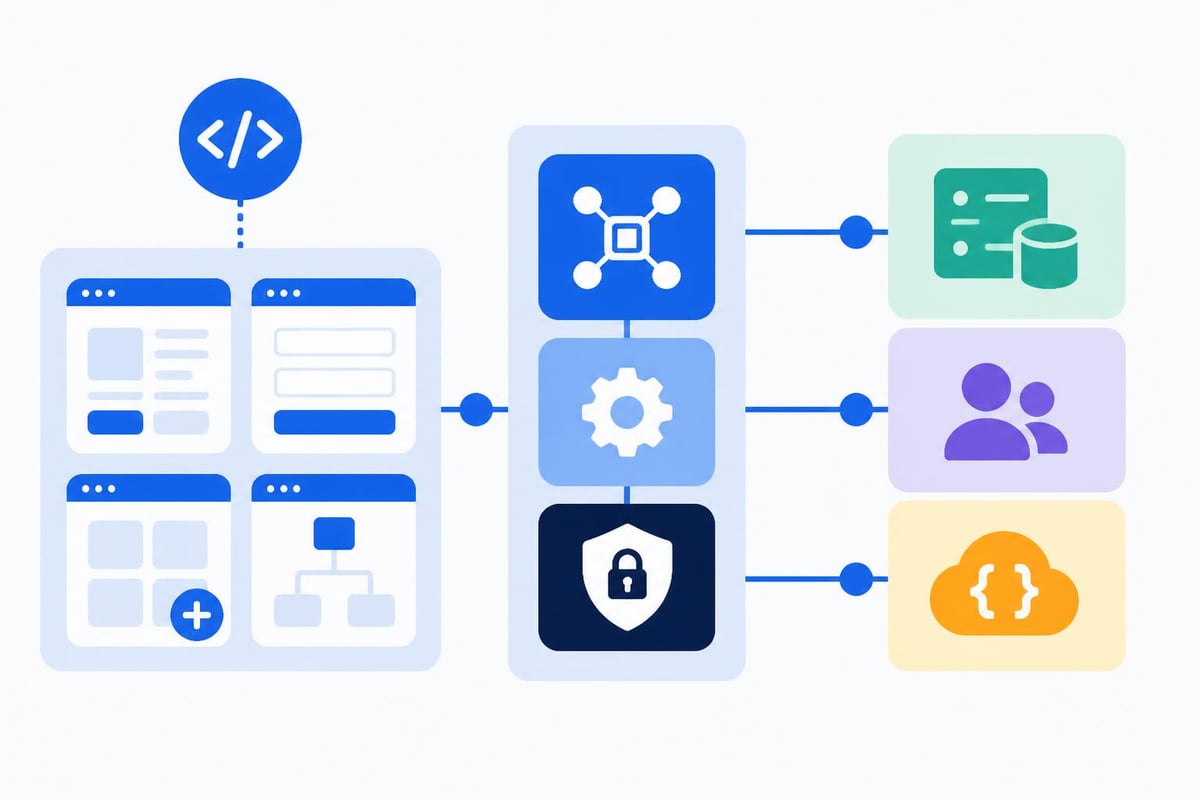
Enterprises exploring why organizations turn to no-code for internal tool development consistently cite reduced IT backlog, improved business-IT alignment, and faster response to operational needs as primary motivators.
AI Integration and Future Capabilities
The convergence of artificial intelligence and no-code development represents the next evolution in democratized software creation. AI-powered platforms now incorporate natural language interfaces, intelligent suggestions, and automated code generation that further reduce technical barriers.
Natural Language Development
Recent advancements enable developers to describe desired functionality in plain English, with AI systems translating requirements into working applications. These systems understand context, suggest appropriate components, and generate workflow logic based on verbal descriptions. While still emerging, this technology promises to make a no code app builder accessible to even broader audiences.
Intelligent assistants within platforms now recommend optimizations, identify potential bugs, and suggest best practices based on millions of applications built by the community. These AI features compress learning curves and help novice builders create professional-quality applications.
Automated Testing and Optimization
AI-driven testing tools automatically generate test cases, simulate user behaviors, and identify edge cases that human testers might miss. Performance optimization algorithms analyze application structure and suggest modifications to improve load times, reduce database queries, and enhance user experience.
Predictive analytics within development platforms forecast resource requirements, estimate project timelines, and flag potential bottlenecks before they impact delivery schedules. These capabilities make project management more reliable and help teams set realistic expectations with stakeholders.
Security and Compliance Considerations
As applications built with a no code app builder handle increasingly sensitive data and critical business processes, security practices must match the rigor of traditionally developed systems. Platform selection, configuration, and ongoing management all contribute to overall security posture.
Platform Security Features
Data encryption at rest and in transit protects information from unauthorized access. Leading platforms provide encryption by default, with options for customer-managed keys and enhanced security controls. Authentication systems support multi-factor authentication, single sign-on, and integration with enterprise identity providers.
Role-based access control enables granular permissions management, ensuring users see only data and functionality appropriate to their responsibilities. Audit logging tracks all system changes, data access, and administrative actions for compliance reporting and security investigations.
Compliance Requirements
Organizations in regulated industries must verify that platforms maintain relevant certifications:
- HIPAA compliance for healthcare applications handling protected health information
- SOC 2 Type II attestations demonstrating security, availability, and confidentiality controls
- GDPR readiness including data processing agreements and data residency options
- PCI DSS compliance for applications processing payment card information
- ISO 27001 certification indicating comprehensive information security management
Working with Bubble agencies experienced in compliance-sensitive projects helps navigate regulatory requirements while leveraging no-code development speed.
Team Structure and Skill Development
Successfully deploying a no code app builder within an organization requires new team structures, training programs, and career paths that recognize the evolving nature of application development. The democratization of development expands who can contribute while creating new specialization opportunities.
Citizen Developer Programs
Identifying candidates from business units who combine domain expertise with technical aptitude creates powerful combinations. These individuals understand processes deeply and can translate requirements into applications without lengthy requirement documentation cycles. Training curricula should cover platform fundamentals, design principles, security best practices, and testing methodologies.
Mentorship programs pair experienced builders with novices, accelerating learning and establishing consistent quality standards across the organization. Community building through internal forums, regular showcases, and shared component libraries fosters knowledge sharing and collaboration.
Professional Developer Roles
Rather than eliminating the need for technical talent, no-code platforms shift professional developers toward higher-value activities. Complex integrations, custom functionality, and platform extensions still require coding skills. Architecture and governance roles ensure applications align with enterprise standards and technical strategy.
Quality assurance specialists develop testing frameworks, establish performance benchmarks, and verify applications meet security and compliance requirements. These specialized roles ensure no-code development delivers enterprise-grade quality and reliability.
Migration and Legacy System Modernization
Many organizations view a no code app builder as a path to modernize legacy applications without massive reengineering projects. Incremental migration strategies reduce risk while delivering quick wins that build momentum for broader transformation.
Assessment and Prioritization
Application portfolio analysis identifies systems ripe for replacement based on maintenance costs, business value, and technical debt. Applications with simple data models, limited integrations, and clear user interfaces make ideal initial candidates. Quick wins build confidence and demonstrate value before tackling more complex systems.
Data migration planning addresses how information transfers from legacy databases to new applications. Extract-transform-load processes cleanse data, map fields, and validate completeness before cutover. Parallel operation periods allow validation of new systems while maintaining legacy applications as backup.
Phased Rollout Strategies
- Pilot phase with limited users and non-critical functions validates approach
- Expanded beta tests scalability and gathers comprehensive feedback
- Departmental rollout brings entire teams onto new platforms
- Enterprise deployment completes migration with full feature parity
- Legacy decommissioning reduces maintenance burden and technical debt
This structured approach minimizes disruption while maintaining business continuity throughout the transition. Consulting with MVP design to development agencies experienced in migration projects helps avoid common pitfalls and accelerate timelines.
Performance Optimization and Scaling
As applications grow in users, data volume, and complexity, performance optimization becomes critical. A no code app builder provides different tuning approaches than traditional coding, focusing on platform-specific optimizations and architectural decisions rather than algorithm efficiency.
Database Optimization
Query optimization remains essential even in visual development environments. Proper indexing, efficient search configurations, and thoughtful data structure design prevent performance degradation as databases grow. Pagination and lazy loading reduce initial page load times by fetching only necessary data.
Caching strategies store frequently accessed data in memory, reducing database queries and improving response times. Many platforms offer built-in caching with configurable expiration policies that balance freshness against performance.
Architecture Patterns
Microservices approaches within no-code platforms separate distinct functionality into focused applications that communicate through APIs. This modularity improves maintainability and allows independent scaling of high-demand features. Asynchronous processing moves time-consuming operations into background workflows, keeping user interfaces responsive.
Content delivery networks serve static assets from geographically distributed servers, reducing latency for global user bases. Database replication provides read scalability and geographic redundancy for mission-critical applications.
| Optimization Technique | Impact Area | Complexity | Typical Improvement |
|---|---|---|---|
| Database Indexing | Query Speed | Low | 3-10x faster |
| Image Compression | Page Load | Low | 40-60% reduction |
| Caching Layer | Response Time | Medium | 5-20x faster |
| CDN Implementation | Global Performance | Medium | 50-70% reduction |
| Async Processing | UI Responsiveness | High | Immediate feedback |
Vendor Ecosystem and Partnership Models
The maturity of the no code app builder market has created robust ecosystems of complementary services, specialized agencies, and technology partners. Understanding available resources helps organizations maximize platform value and accelerate project delivery.
Agency Partnerships
Development agencies specializing in specific platforms bring deep expertise, proven methodologies, and reusable components that accelerate projects. These partners handle complex requirements, provide training, and supplement internal teams during peak demand periods. Design agencies focus on user experience, creating interfaces that maximize usability and engagement.
Integration specialists connect no-code applications with enterprise systems, external APIs, and legacy databases. Their expertise in authentication, data transformation, and error handling ensures reliable system communication.
Complementary Technologies
Analytics platforms provide deeper insights than built-in reporting, enabling sophisticated visualization, predictive modeling, and automated alerting. Form builders create complex data collection workflows that feed into no-code applications. Communication tools add email, SMS, and push notification capabilities beyond platform defaults.
Payment processors, identity providers, and content management systems integrate with no-code platforms through pre-built connectors or custom API configurations, expanding functionality without custom development.
The strategic advantages of a no code app builder continue expanding as platforms mature and artificial intelligence enhances development capabilities. Organizations that embrace visual development gain competitive advantages through faster innovation cycles, reduced development costs, and broader participation in digital transformation initiatives. Whether you're launching a startup MVP or modernizing enterprise operations, Big House Technologies brings specialized expertise in Bubble and Lovable platforms to transform your vision into scalable, production-ready applications-delivering the speed and cost efficiency no-code promises with the quality and reliability enterprises demand.

About Big House
Big House is committed to 1) developing robust internal tools for enterprises, and 2) crafting minimum viable products (MVPs) that help startups and entrepreneurs bring their visions to life.
If you'd like to explore how we can build technology for you, get in touch. We'd be excited to discuss what you have in mind.
Other Articles
Discover 7 essential AI software price insights for 2025 Learn key trends models and strategies to optimize costs and make informed AI investment decisions
Build dynamic web apps in 2026 with Bubble sites. Discover step by step guides, expert tips, and future trends to master no code development with ease.
Discover the 7 best AI design graphic tools for 2025 that streamline workflows, boost creativity, and deliver professional results for any project or business.