

Are you wondering how startups and enterprises are slashing development budgets in 2026? The answer lies in the cost to build an app with Bubble, a no-code platform that’s changing the rules for digital product launches.
This guide reveals the real numbers behind Bubble app development. We’ll dive into pricing, key cost drivers, and real-world examples, so you can plan smarter and avoid surprises.
You’ll also get practical tips to optimize spending and expert strategies to maximize ROI. Ready to discover how Bubble can help you build more for less? Let’s break it all down.
Understanding Bubble: The No-Code Platform Revolution
Bubble is leading the charge in the no-code movement, making web application development accessible to everyone. With its intuitive drag and drop interface, founders and teams can build fully functional web apps without writing a single line of code. Bubble’s core features include integrated databases, workflow automation, and responsive design tools. Compared to traditional coding, Bubble dramatically shortens timelines and reduces the technical barrier. Other no-code platforms exist, but Bubble stands out for its depth and flexibility. Many startups now launch SaaS MVPs on Bubble in just weeks, directly impacting the cost to build an app with bubble for both small teams and larger organizations.

The 2026 No-Code Landscape
By 2026, no-code platforms have become mainstream in software development. According to Gartner, about 70% of new applications are expected to be built using no-code or low-code tools. Enterprises are rapidly adopting these platforms, using them to tackle increasingly complex projects that once required large development teams. This shift is transforming how organizations approach digital solutions, reducing the cost to build an app with bubble and accelerating project delivery. As businesses embrace no-code, demand for traditional developers is shifting, and project timelines are shrinking, allowing teams to innovate faster than ever before.
Why Choose Bubble for App Development?
Choosing Bubble is a strategic decision for startups and enterprises aiming to maximize their resources. Bubble is up to 4x cheaper than traditional app development, according to Forrester. Apps can be built five times faster on average, making it ideal for MVPs, internal tools, and full-scale products. The flexibility Bubble offers means that companies can start small and scale as needed. For example, startups have launched prototypes and scaled to over 10,000 users without leaving the platform. If you want to learn more about building scalable MVPs and how that impacts the cost to build an app with bubble, check out Building scalable MVPs with Bubble.
Limitations and Considerations
While Bubble offers many advantages, there are important considerations. Platform lock in can limit future migration options. Scaling for large user bases may require careful planning, as performance can be affected by complex workflows or heavy traffic. The learning curve for intricate logic is steeper than for basic apps. Security and compliance features are continually updated, but enterprises must ensure these standards meet their requirements. Understanding these factors is essential for accurately estimating the cost to build an app with bubble and for setting realistic expectations about what’s possible within the platform’s ecosystem.
Core Factors Influencing the Cost to Build an App with Bubble
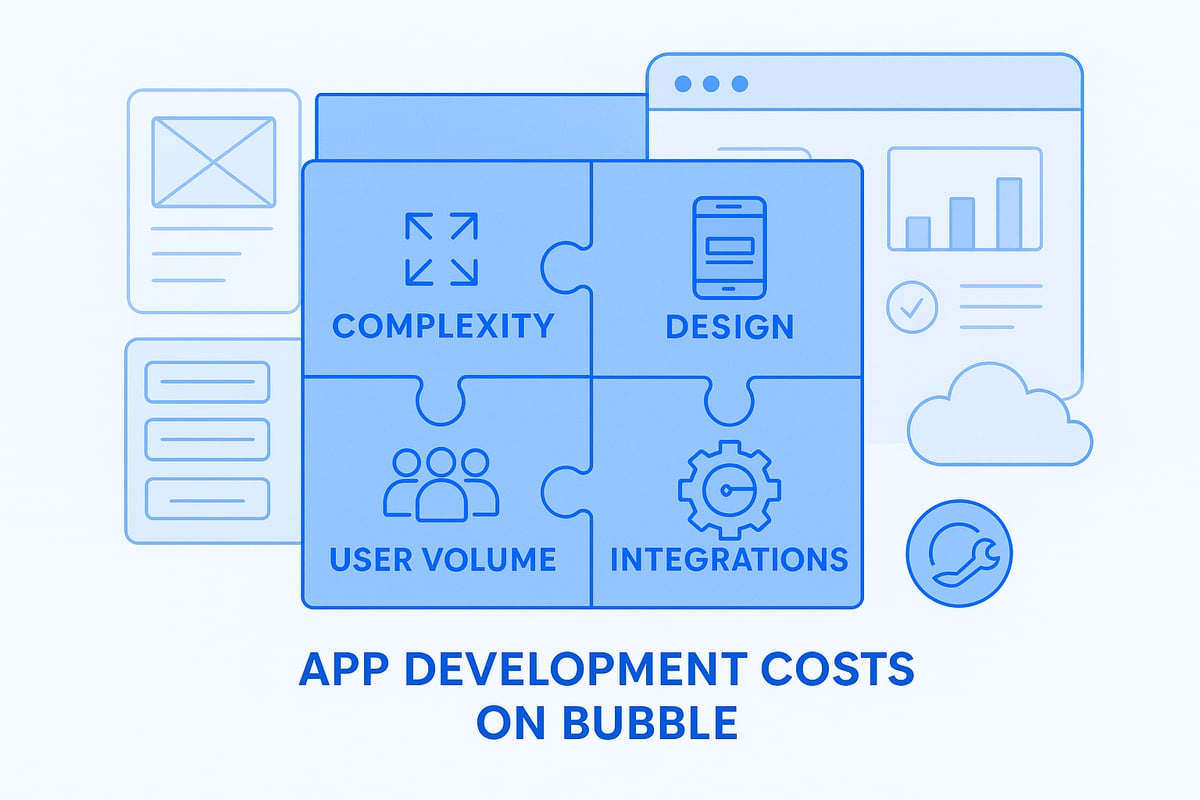
Building an app with Bubble in 2026 is more affordable than ever, but what shapes the true cost to build an app with bubble? Understanding these core factors will help you budget wisely, avoid surprises, and make the most of your investment.
App Complexity and Feature Scope
The complexity of your app is the biggest driver of the cost to build an app with bubble. Simple apps, like a to-do list or a basic blog, require fewer features and minimal workflows. In contrast, a marketplace or social platform demands user roles, payment systems, messaging, and robust logic.
Let’s compare:
- Simple app: Login, user profiles, single workflow
- Complex app: Multi-user roles, real-time chat, payment integrations, advanced APIs
Each additional feature multiplies development time and costs. For a detailed breakdown of how complexity shapes pricing, check out Bubble's 2026 App Development Cost Analysis.
Design and User Experience Requirements
Design choices have a direct impact on the cost to build an app with bubble. Using Bubble’s pre-made templates can keep expenses low and speed up your launch. However, custom UI/UX design means hiring skilled designers or investing more time to build layouts from scratch.
Consider these options:
- Templates: Fast, budget-friendly, less unique
- Custom design: Unique branding, higher conversion, but increased cost
Responsive design for both mobile and desktop is standard in 2026, but more customization means more hours. Decide what’s essential for your users and balance visuals with your budget.
User Volume and Data Storage Needs
Your user base size and data requirements can significantly affect the cost to build an app with bubble. Bubble’s pricing tiers are structured around user volume, storage, and performance needs. If you plan to scale from 100 to 100,000 users, you’ll need to budget for higher tiers or overage fees.
Key considerations:
- Starter plans: Great for early MVPs and small teams
- Higher tiers: Needed for apps with lots of users or large databases
Storage limits and extra data fees can add up quickly if your app grows fast. Make sure to project your expected user growth to avoid surprises.
Integrations and Third-Party Services
Modern apps rarely exist in isolation, so integrating with payment gateways, CRMs, or analytics tools can increase the cost to build an app with bubble. Bubble supports popular services like Stripe, Zapier, and Twilio, but each integration may require paid plugins or incur recurring API costs.
Common integration expenses:
- Payment processing (Stripe, PayPal)
- Email/SMS (Twilio, SendGrid)
- Automation (Zapier, Integromat)
Some plugins are one-time purchases, while others charge monthly. Map out every external service your app needs to get an accurate estimate.
Ongoing Maintenance and Updates
After launch, ongoing maintenance is a key part of the cost to build an app with bubble. Regular updates, bug fixes, and feature improvements are necessary for security and user satisfaction.
Maintenance tasks include:
- Security patches and compliance updates
- Adding new features
- Fixing bugs and optimizing performance
Compared to traditional app development, Bubble makes updates faster and less costly, but you still need to plan for monthly or quarterly maintenance to keep your app running smoothly.
Bubble Pricing in 2026: Plans, Hidden Costs & Budgeting Tips
Bubble has evolved its pricing to match the growing needs of startups and enterprises. Understanding the cost to build an app with bubble in 2026 starts with a clear breakdown of official plans, hidden charges, and practical budgeting tips. Let’s explore the numbers and strategies to help you budget smarter.

Official Bubble Pricing Tiers and What’s Included
The cost to build an app with bubble depends heavily on Bubble’s 2026 pricing tiers. Bubble now offers Personal, Professional, Production, and Enterprise plans, each with unique features and limits.
| Plan | Monthly Price | Annual Price (per month) | Key Features |
|---|---|---|---|
| Personal | $35 | $31 | Custom domains, limited API |
| Professional | $129 | $115 | Increased capacity, analytics |
| Production | $299 | $269 | Advanced scaling, backups |
| Enterprise | Custom | Custom | Dedicated support, SLAs |
Choosing between monthly and annual billing can impact the total cost to build an app with bubble, with annual plans offering up to 15% savings. Each tier includes different user, storage, and API limits, so select a plan that matches your growth expectations.
Additional Platform Costs and Hidden Fees
Beyond the base plan, the cost to build an app with bubble can rise due to platform extras. Watch for storage and database overages if your app grows quickly. Bubble enforces API call limits, and exceeding these leads to additional charges.
- Storage overage: $10 per 10GB per month
- API overages: $25 per extra 100,000 calls
- Custom domain: $5/month if not included in your tier
- SSL: Free on most plans, but check for advanced needs
Rapid user growth can trigger unexpected costs. It’s wise to monitor usage regularly to keep the cost to build an app with bubble predictable.
Third-Party Services and Plugin Expenses
Premium plugins and integrations can add to the cost to build an app with bubble. Many advanced features, such as charting tools or payment modules, require paid plugins.
- Plugin costs: $5–$50/month
- Premium templates: $50–$500 one-time
- Recurring vs. one-time fees for integrations
Connecting to services like Stripe, Twilio, or Zapier may also incur monthly charges. Always factor plugin and integration costs into your budget to avoid surprises in the cost to build an app with bubble.
Development Resources: DIY vs. Hiring Experts
How you approach development impacts the cost to build an app with bubble. Building solo is cost-effective but time-intensive. Hiring Bubble freelancers or agencies speeds up delivery and brings expertise, but costs more.
- Freelancers: $50–$150/hour
- Agencies: $10,000+ for MVPs
For custom needs or advanced functionality, consider reviewing Custom Bubble app development services for pricing insights and expert guidance. Balancing your skills, time, and budget is crucial for managing the cost to build an app with bubble.
Timeline Impact on Budget
The timeline directly affects the cost to build an app with bubble. Faster projects may require premium resources or pre-built components, reducing labor hours but increasing upfront expenses.
- Using templates can cut weeks off development
- Delays can increase costs due to extra monthly fees
- Opportunity cost: longer builds mean slower time to market
Careful planning helps optimize both timeline and the cost to build an app with bubble.
Budgeting Tips to Avoid Overspending
To control the cost to build an app with bubble, prioritize essential MVP features first. Leverage Bubble’s free resources and community support to reduce paid plugin reliance.
- Set a clear budget with a 10–20% contingency
- Use Bubble’s calculators and planning tools
- Track and adjust spending as your app scales
By following these tips, you’ll avoid common pitfalls and keep the cost to build an app with bubble within your target range.
Real-World Examples: Bubble App Cost Case Studies
Real-world stories reveal how the cost to build an app with bubble can differ based on project type, goals, and resources. These case studies showcase a range of budgets, timelines, and lessons that founders and businesses can apply in 2026.

Startup MVPs: Launching on a Budget
Many early-stage founders want to minimize the cost to build an app with bubble without sacrificing core features. For example, a team built a social networking MVP for under $10,000 in less than eight weeks.
They focused on essentials: user registration, profiles, messaging, and notifications. By using Bubble templates and community plugins, they cut development time and costs.
Key takeaways:
- DIY approach with minimal outside help
- Used free resources and forums
- Launched quickly to validate the idea
This method proves how startups can launch real products while keeping the cost to build an app with bubble low.
Scaling Up: From Prototype to Production
When it comes to scaling, the cost to build an app with bubble evolves as user bases and feature sets grow. One SaaS platform started as a prototype, then expanded to serve thousands of users.
Initial costs stayed under $15,000, but as the user count scaled, expenses shifted:
| Stage | Users | Monthly Cost |
|---|---|---|
| MVP | 100 | $29 |
| Growth | 2,000 | $129 |
| Production | 10,000+ | $529+ |
Infrastructure upgrades and higher-tier plans impacted the cost to build an app with bubble, but the team still saved compared to custom coding.
Enterprise Internal Tools
Mid-sized companies often compare the cost to build an app with bubble to traditional development. In one case, a custom CRM was delivered for $25,000 instead of the $100,000+ typical for coded solutions.
The app included:
- Role-based access
- Automated workflows
- Integration with internal databases
The result was faster delivery and measurable productivity gains. For enterprises, the cost to build an app with bubble brings clear ROI, especially for internal tools and automation.
Niche Apps and Unique Use Cases
Unique concepts also shape the cost to build an app with bubble. For instance, a booking platform for local studios required custom calendars, payments, and SMS notifications.
Key cost drivers included:
- Advanced plugins for scheduling
- Integration with Stripe and Twilio
- Custom UI for mobile and desktop
Plugin and API fees added recurring costs, but the founder launched the app for under $20,000. The flexible nature of Bubble let them test and iterate affordably.
Lessons Learned from Real Projects
Across these examples, several lessons can help control the cost to build an app with bubble. Common mistakes include underestimating feature scope, skipping phased launches, and not budgeting for plugins or scaling.
Tips for success:
- Scope features clearly at the start
- Use phased development to control spending
- Research plugin and integration costs early
For more in-depth Bubble app development case studies, explore real-world budgets, timelines, and outcomes from founders and enterprises.
How to Estimate Your Bubble App Development Cost: Step-by-Step Guide
Estimating the cost to build an app with bubble in 2026 is both an art and a science. With the right approach, you can avoid common budget pitfalls and plan your project with confidence. This guide walks you through a simple seven-step process, so you know exactly what to expect before jumping in. As the no-code market continues to expand rapidly (Business Research Insights on No-Code Market Growth), understanding these steps is key to optimizing costs and outcomes.
Step 1: Define Your App’s Core Features and Scope
Start by outlining your app’s essential features. List out must-haves and nice-to-haves. For example, a basic marketplace might need user accounts, listings, messaging, and payments. This clarity is vital because the cost to build an app with bubble depends heavily on feature set.
- Use Bubble’s scoping templates for accuracy
- Separate features into MVP and future phases
- Prioritize based on user impact
By defining scope early, you’ll prevent scope creep and make more accurate budget predictions.
Step 2: Choose the Right Bubble Pricing Plan
Bubble offers several pricing plans, each with different features, user limits, and storage options. Match your app’s requirements to the right plan, considering both current and projected needs. Remember, the cost to build an app with bubble can rise quickly if you underestimate user volume or storage.
- Compare monthly vs. annual rates for savings
- Check for included features like custom domains and API access
- Plan for potential upgrades as your app grows
Selecting the right plan from the start keeps costs predictable.
Step 3: Assess Design and UI/UX Needs
Design impacts both user experience and budget. Decide if you’ll use a pre-built template, modify one, or create a fully custom design. The cost to build an app with bubble will be lower with templates, but custom work can set your app apart.
- Templates are fast and budget-friendly
- Custom design requires more time and expertise
- Responsive design for mobile use adds complexity
Balance visual appeal with cost efficiency to maximize ROI.
Step 4: Plan for Integrations and Plugins
Most apps need third-party services like payment processors, analytics, or email tools. List every integration you’ll need. The cost to build an app with bubble includes plugin fees and, sometimes, recurring charges for external APIs.
- Common integrations: Stripe, Zapier, Twilio, Google Analytics
- Some plugins are free, others are paid (one-time or subscription)
- Check compatibility and long-term costs
Careful planning helps you avoid surprise expenses later.
Step 5: Determine Development Approach (DIY, Freelancer, Agency)
Decide whether to build the app yourself, hire a freelancer, or work with a Bubble agency. Each option affects the cost to build an app with bubble and your timeline. DIY is cheapest but slowest. Agencies are fastest but pricier. Research Bubble app development agencies for specialized support and transparent pricing.
- DIY: lowest direct cost, steepest learning curve
- Freelancer: $50–150 per hour
- Agency: $10k+ for MVPs, more for complex builds
Choose the approach that fits your skills, budget, and deadline.
Step 6: Factor in Testing, Launch, and Ongoing Maintenance
Budget for quality assurance, bug fixes, and updates. The cost to build an app with bubble does not end at launch. Consider support contracts or a monthly retainer for peace of mind.
- QA prevents costly post-launch issues
- Plan for regular security updates
- Set aside funds for new features
Ongoing investment keeps your app secure and competitive.
Step 7: Build a Detailed Budget and Timeline
Combine your findings into a comprehensive budget and project plan. Use Bubble’s calculators and planning tools. Always add a contingency (10–20 percent) for unexpected costs. The cost to build an app with bubble can vary, so a clear budget helps you stay on track.
Sample Budget Table:
| Expense | Estimated Cost |
|---|---|
| Bubble Plan (annual) | $1,200–$5,000 |
| Design (template/custom) | $0–$3,000 |
| Plugins & Integrations | $200–$2,000 |
| Development (freelance/agency) | $5,000–$30,000 |
| QA & Maintenance | $500–$3,000 |
| Total | $6,900–$43,000 |
A well-structured plan ensures you invest wisely and avoid budget overruns.
Maximizing ROI: Strategies to Reduce Bubble App Development Costs
Building a high-impact app on Bubble in 2026 means not just launching quickly, but also maximizing every dollar spent. Getting the most out of your investment requires smart planning, strategic choices, and knowing where to tap into the platform’s strengths. Let’s dive into proven strategies to lower the cost to build an app with bubble while boosting your project’s long-term value.
Prioritize MVP and Iterative Development
The fastest way to reduce the cost to build an app with bubble is by launching with a minimum viable product (MVP). Focus on features that solve your users’ core problems. Add “nice-to-have” items only after launch. According to Gartner's 2026 No-Code Adoption Forecast, this iterative approach is now standard for startups and enterprises alike.
- List must-have features first
- Launch quickly, then gather feedback
- Invest in upgrades only where proven value exists
This approach saves you money up front and lets you validate ideas before scaling further.
Leverage Bubble’s Community and Templates
Tap into Bubble’s active community to cut down the cost to build an app with bubble. Free and premium templates can jumpstart your design, while community forums provide troubleshooting support. The Integrate.io's 2026 No-Code Usage Trends report highlights how no-code communities accelerate development and save resources.
- Use pre-built templates for faster launches
- Find plugins to extend functionality affordably
- Ask for advice in Bubble forums to avoid mistakes
By leveraging these resources, you can avoid reinventing the wheel and trim both your timeline and budget.
Optimize App Performance and Scalability
Designing for performance from day one helps keep the cost to build an app with bubble low as your user base grows. Streamline workflows, minimize unnecessary database calls, and structure your data efficiently. Performance tuning now can prevent expensive upgrades later.
| Optimization Area | Impact on Cost |
|---|---|
| Efficient Workflows | Faster load times, less server cost |
| Slim Data Structure | Lower storage fees |
| Scalable Plugins | Reduced refactoring need |
Proactive optimization means better user experience and fewer surprise expenses as your app scales.
Plan for Long-Term Maintenance and Upgrades
Long-term savings start with planning for future updates. Ongoing maintenance is a real part of the cost to build an app with bubble. Budget for regular feature releases, security patches, and user support. Choosing scalable architecture now reduces the need for costly rebuilds down the line.
- Schedule periodic reviews for bugs and improvements
- Keep documentation updated for smoother handoffs
- Set aside funds for new features as user needs evolve
Thinking ahead ensures your app remains reliable and cost-effective over time.
Avoid Common Pitfalls and Budget Overruns
Many projects run over budget due to scope creep, overlooked integration costs, or skipping testing. To manage the cost to build an app with bubble, define your project scope clearly and stick to it. Always account for the price of third-party services and leave room in your budget for thorough testing.
- Lock down your feature list before development
- Track all recurring and one-time expenses
- Invest in QA to catch issues early
Learning from others’ mistakes helps you keep your project on track and within budget.
When to Invest in Professional Help
Sometimes, bringing in an expert is the smart way to lower the cost to build an app with bubble. Complex integrations, scaling challenges, or unique features often require specialized knowledge. Hiring a Bubble freelancer or agency can speed up delivery, reduce bugs, and ensure a smoother launch.
- Bring in pros for advanced logic or security needs
- Consider agencies for enterprise-scale projects
- Evaluate ROI by comparing time saved to cost
Professional help can pay for itself by accelerating your timeline and preventing expensive missteps.
Now that you’ve got a clear picture of what goes into building an app with Bubble and how to budget smartly for 2026, you’re probably wondering how quickly you can get your idea off the ground. The good news is, you don’t have to wait months or break the bank to launch something amazing. With the right no code tools and expert guidance, you can turn your vision into a live MVP faster than you think—often in just weeks. Ready to see how? Check out our guide here: Launch Your MVP in Weeks, Not Months

About Big House
Big House is committed to 1) developing robust internal tools for enterprises, and 2) crafting minimum viable products (MVPs) that help startups and entrepreneurs bring their visions to life.
If you'd like to explore how we can build technology for you, get in touch. We'd be excited to discuss what you have in mind.
Other Articles
Discover the ultimate guide for Flutter developers in 2025. Learn essential skills, top tools, and the latest trends to future-proof your Flutter career.
Discover the best artificial intelligence app picks for 2025 Explore top AI apps transforming productivity creativity and business with key features and expert tips
Discover 7 smart ways to hire mobile app developer in 2025 with proven strategies for sourcing vetting and future proof contracts to ensure project success